The Universal Desktop Suite for Android on Mac • Pixel · Galaxy · OnePlus · Xiaomi · Foldables

Your Android & Mac.
In perfect tandem.

Apple built iPhone Mirroring strictly for iPhones. Samsung discontinued DeX on Mac in 2021. Tandem unlocks true desktop continuity for every Android phone: live cellular phone calls through MacBook speakers, multi-monitor spreads, 120Hz desktop mode, and Continuity Studio Camera on macOS.


Download Free (14-Day Full Trial) Limited Launch Special: $29 $19 Lifetime
✓ Universal Binary: macOS 14 Sonoma & macOS 15 Sequoia (Apple Silicon M1–M4 & Intel) •
14-Day Full Free Trial (Zero Credit Card) Google Pixel · Samsung Galaxy · OnePlus · Xiaomi Early Adopter Special: $19 (Reg. $29) · First 500 Licenses · 2 Mac Seats
Tandem Pro — Multi-Window Engine · macOS Sequoia
Wi-Fi 6 · 120 FPS Ultra-Fluid
Multi-Monitor Spread across 3 Displays
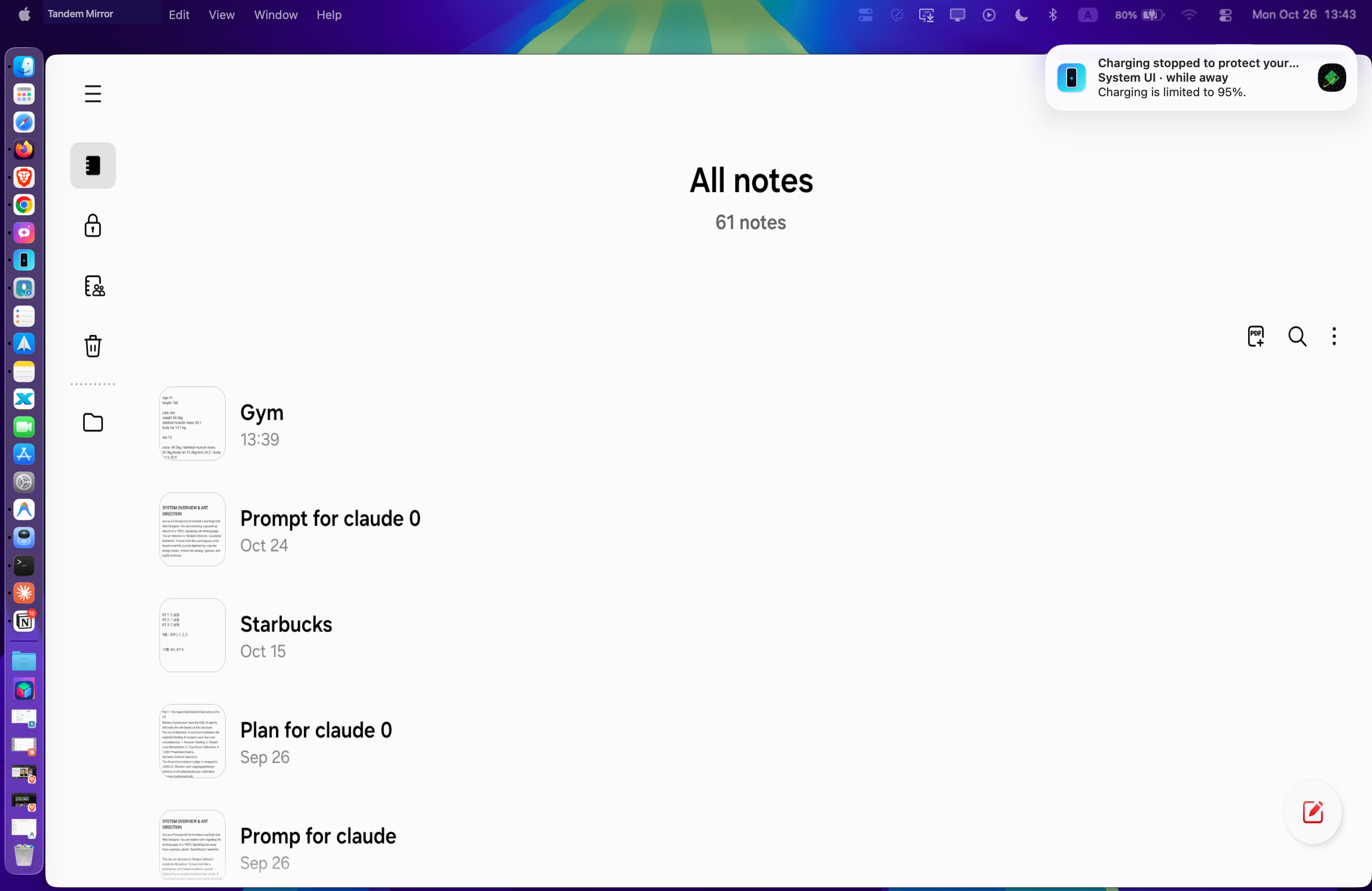
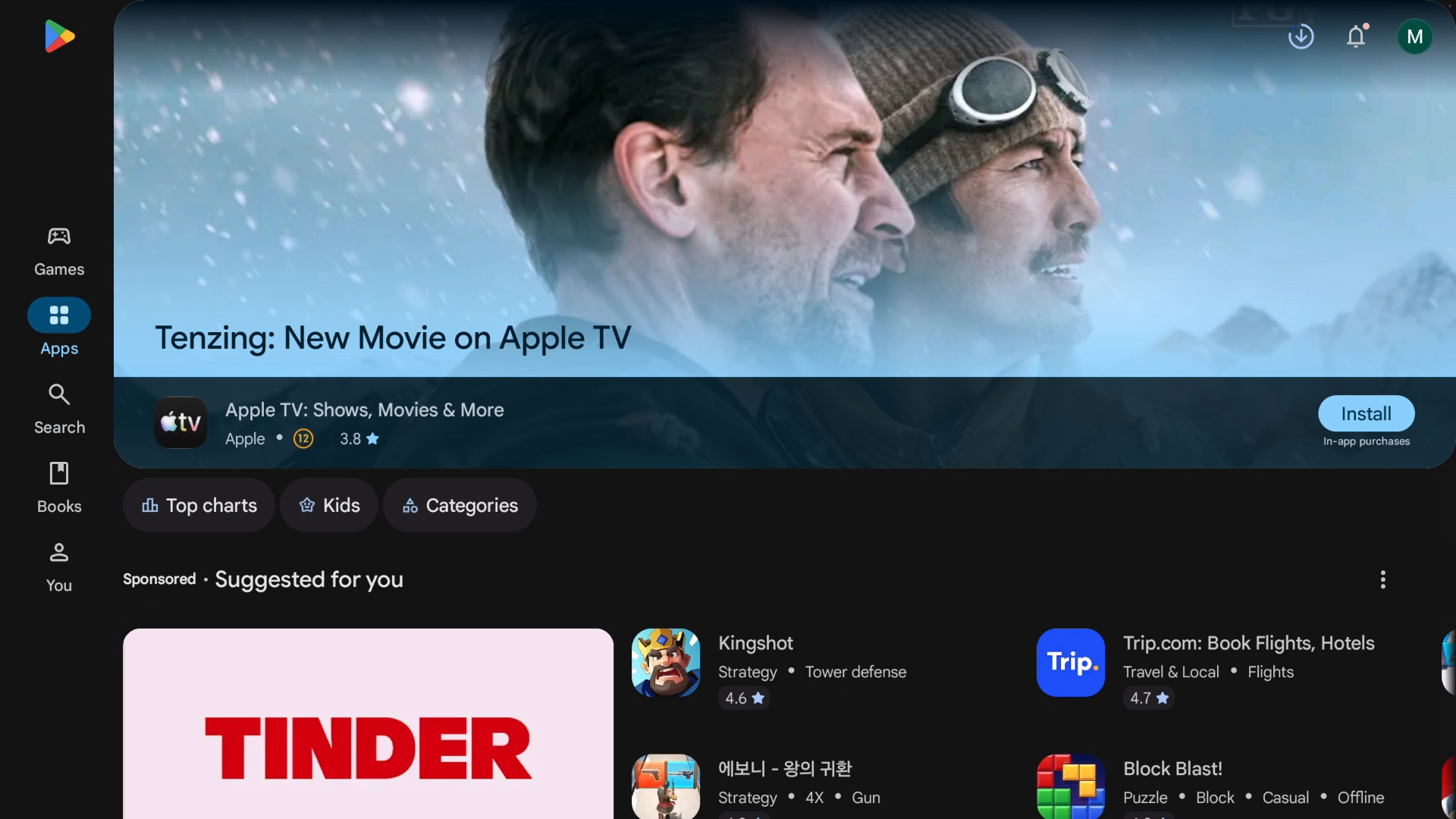
Multi-Screen Freedom: Drag Android Windows Across 2 to 3 Displays Independently
Screen 1 (Left Retina): Samsung Notes / Documents • Screen 2 (Center 22FM): Live Weather & Reminders • Screen 3 (Right LG): Google Play Store / Apps
✨ Works on Google Pixel, OnePlus & Xiaomi — multi-window pop-up apps without needing Samsung DeX.
Signature Breakthrough · Real Phone Calls on Mac

Answer & dial Android calls.
Live through your MacBook speakers.

Apple’s iPhone Mirroring blocks audio on phone calls. Third-party screen mirroring tools are strictly media-only. Tandem Mirror is the first and only software in the world that streams live cellular phone calls from your Android device directly to macOS with pure digital downlink audio.

⚡️ Pure Telephony Downlink

Captures the direct digital audio from the cellular modem (48kHz raw PCM). Zero room echo, zero microphone feedback loops.

🏝️ Floating Call Island Pill

A floating status bar appears instantly when ringing: live duration timer, mute, DTMF keypad for phone trees, and one-click end call.

📱 Zero-Friction Phone App Sync

Press Call in your phone's native dialer or tap a contact on your Mac. Tandem detects the call in milliseconds and engages the audio tunnel.

🔊 1-Click Audio Routing

Switch on the fly between MacBook Speakers, Phone Loudspeaker, or paired Galaxy Buds directly from the Call Pill.

Floating Call Island In-Call Bar
Tandem Mirror Floating Call Pill with caller avatar, live duration, mute, speaker, keypad and end call
MacBook Speakers (48 kHz) • Desk Mic Pickup • DTMF Keypad
Floating Call Island HUD on macOS Desktop
🔄 Built for iPhone Switchers

Switching from iPhone? Don’t leave Universal Clipboard behind.

The #1 friction point when switching from iPhone to a Pixel or Galaxy is losing Apple's ecosystem perks. Tandem delivers the seamless, bidirectional continuity Apple refused to build for Android—with zero cloud lag, zero Apple IDs, and zero subscriptions.

📋
⌘C on Mac ➔ Paste on Phone · Copy on Phone ➔ ⌘V on Mac

Universal Clipboard for Text & Rich Images

Copy verification codes, addresses, or long URLs on your Mac, and instantly paste them into any Android app. Copy a quote or memo on your phone, and press ⌘V on your Mac.

💬
Instant Text Synchronization Sub-millisecond protocol synchronization between macOS NSPasteboard and Android's native system clipboard with smart loop-prevention.
🖼️
Automatic Image Clipboard Sync Snap a screenshot on Mac (⌘⌃⇧4) or copy an image from the web. Tandem automatically converts and pushes the image into Android's media gallery so it is immediately ready to paste in WhatsApp, Telegram, or Instagram.
Bi-directional & Instant 100% Local Peer-to-Peer
📂
AirDrop Freedom · Finder Drag & Drop + Native Files Browser

Two-Way File Sharing Without Cloud Workarounds

Stop emailing files to yourself or relying on slow Google Drive uploads. Transfer high-res photos, 4K videos, PDFs, and folders between Mac and Android in seconds.

📥
Mac to Phone: Drop Directly onto Screen Drag any file, directory, or video from macOS Finder and drop it anywhere on the phone window. Tandem pushes it directly to /sdcard/Download and notifies Android’s media indexer instantly. Drop .apk files to install apps directly.
📤
Phone to Mac: Native Files Browser (⌘⇧F) Press ⌘⇧F or click the Files button in the HUD to browse your phone's full filesystem. Drag camera photos, voice notes, or downloads straight onto your Mac desktop with uncompressed fidelity.
Zero Compression · Full Bitrate Fast Local USB / Wi-Fi
🍏 ➔ 🤖

Enjoy Android's hardware freedom without leaving your Mac workflow.

Get the best cameras, folding screens, and customizable OS while keeping your MacBook or Mac Studio as your command center.

Try Free on Mac
🪟 Universal AOSP Fusion Engine · Pixel · OnePlus · Xiaomi · Galaxy

No Galaxy? No problem.
Multi-Window App Pop-ups for All Androids.

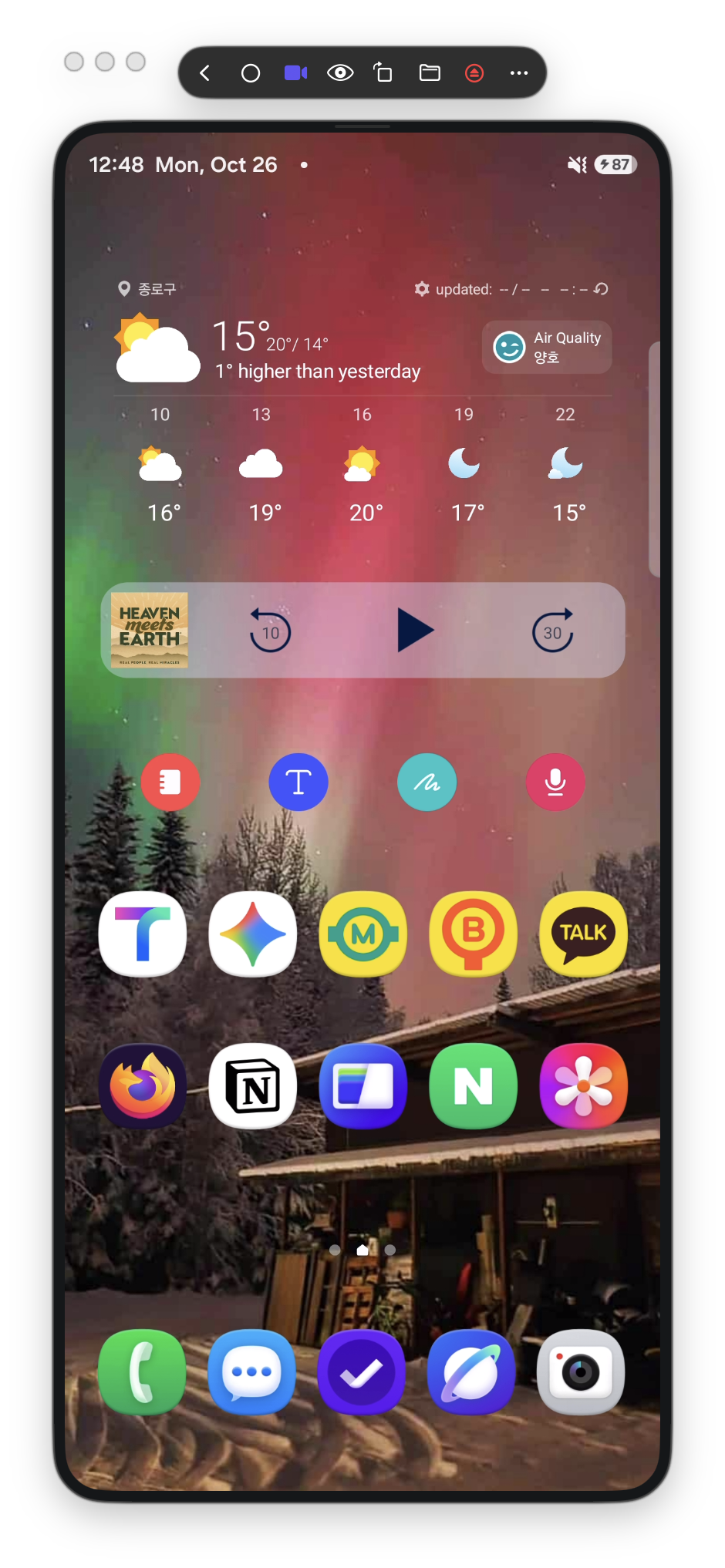
Samsung DeX was built exclusively for Galaxy flagships. Tandem's AOSP Fusion Engine unlocks floating multi-window multitasking for every modern Android phone: whether you carry a Google Pixel 9 Pro, OnePlus 12, or Xiaomi 14, you can pop out multiple independent Android apps into native floating macOS windows side-by-side.

🪟

Independent Floating Windows (Any Phone)

Open Google Keep, WhatsApp, Slack, Notion, or YouTube in their own independent macOS windows. Unlike Apple iPhone Mirroring (which locks you into one vertical phone box), you can run multiple Android apps simultaneously across your Mac screen.

Samsung Notes on macOS Retina
🌐

Drag Across Multiple Displays

Move individual Android pop-ups across 2 to 3 external Mac displays. Keep reference apps on your secondary monitor while typing notes on your main Retina display.

Secondary Display Popups
🏬

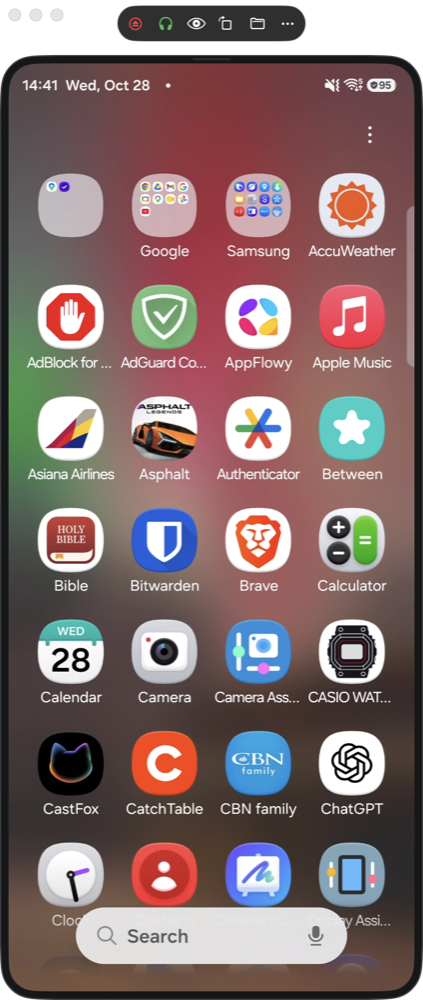
Direct App Launcher (⌘⇧A)

Press ⌘⇧A to browse your phone's complete app catalog from your Mac menu bar. Click any app to launch it instantly in its own floating pop-up window without touching your phone.

Google Play Store on Mac
🖥️ Multi-Display Workspaces

Live widgets & daily utilities.
Floating on your external displays.

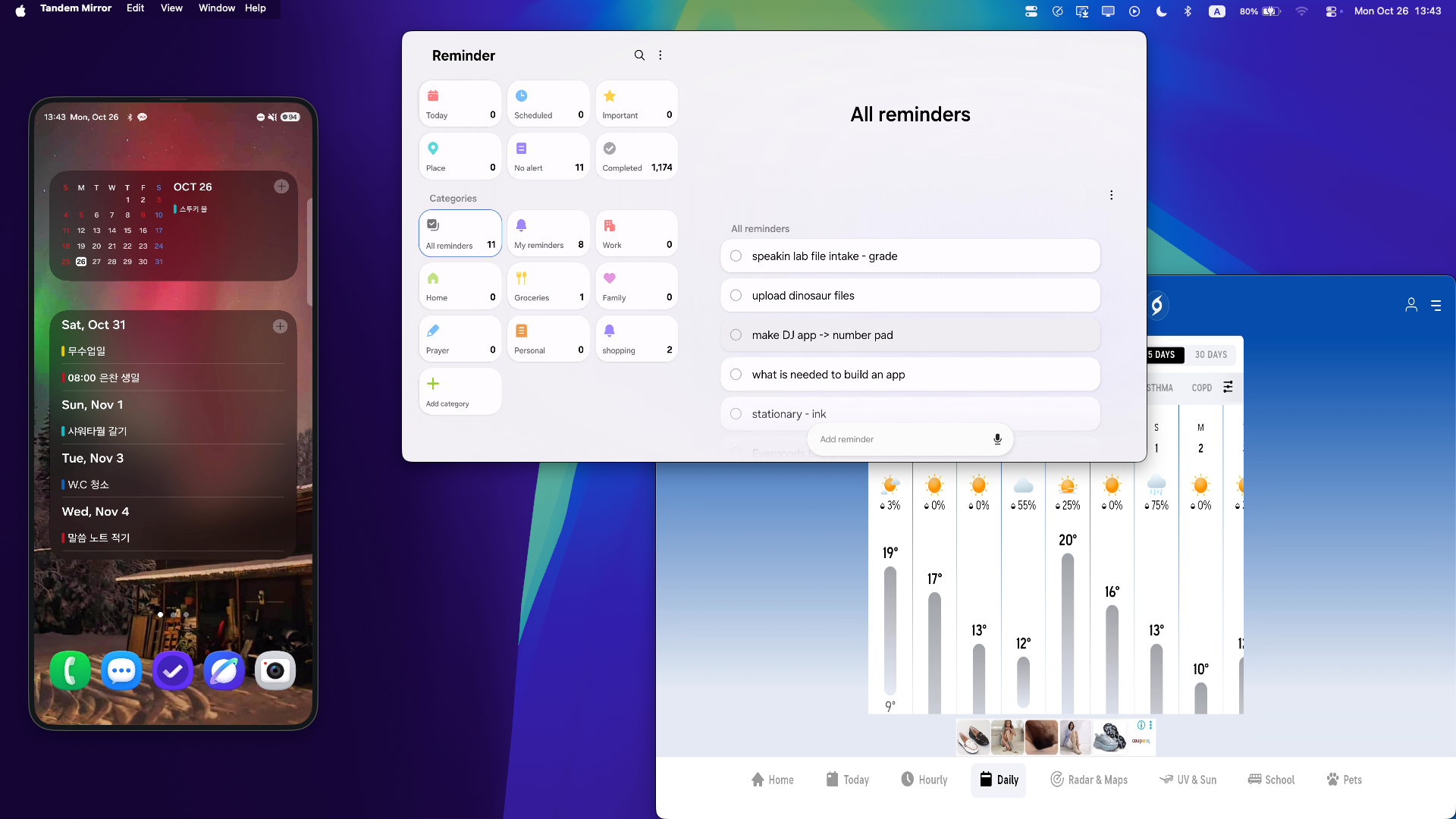
Move live Android tools—such as Samsung Reminders, live weather radar, calendars, or messaging apps—directly onto your secondary Mac monitor. Keep them visible while keeping your primary display clear for code, design, or writing.

Independent Scaling
Adapts to vertical or horizontal external screens
Live Touch & Click
Check off reminders and inspect weather in real time

Also fully supports games and media streaming at 120 FPS with under 15ms latency and zero black bars.

Live Reminders and Weather on External Display
🎮 Hardware-Accelerated Gaming

Full-throttle mobile gaming on your Mac display.

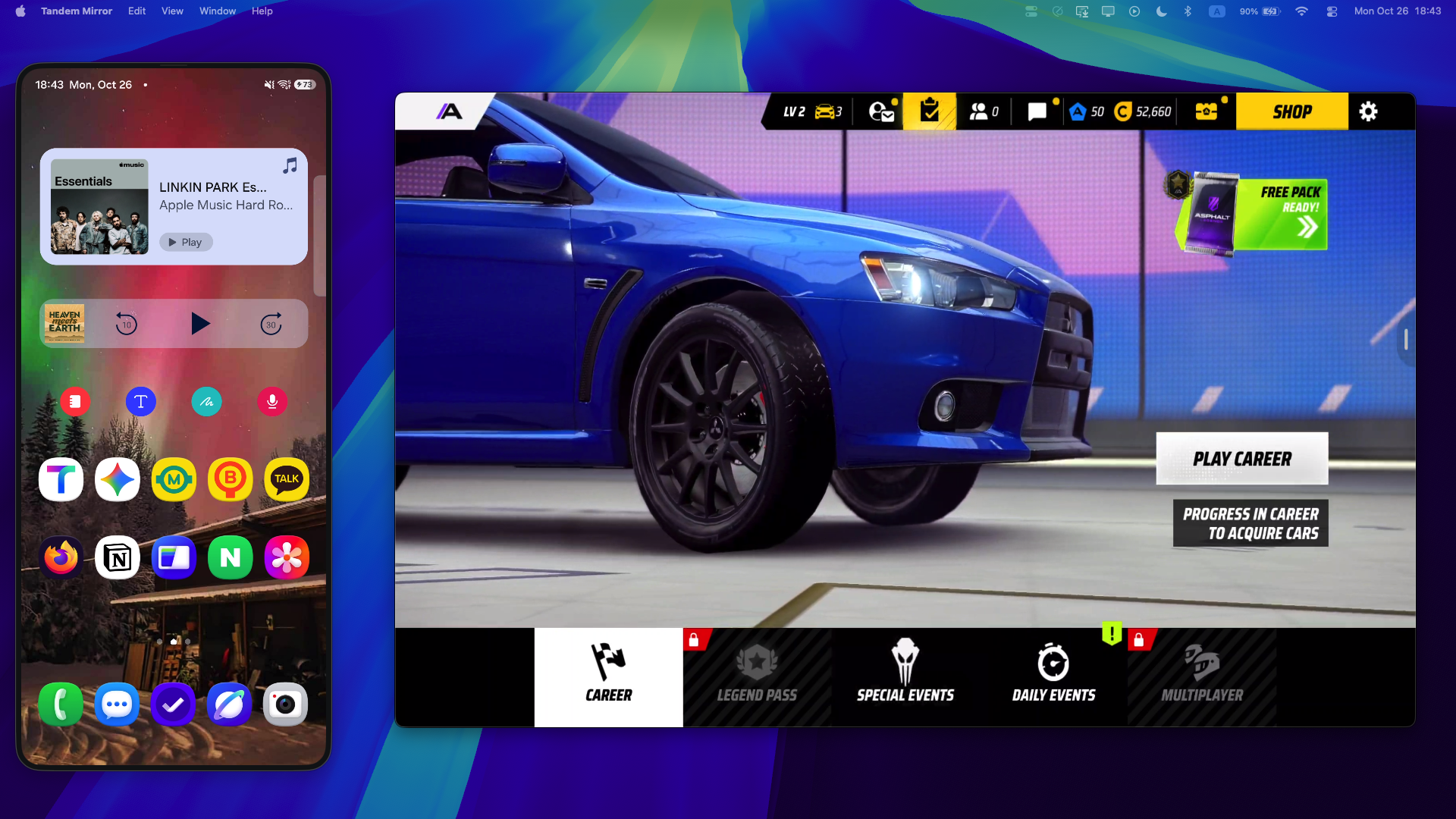
Say goodbye to bloated emulators that overheat your Mac. Tandem Mirror streams your phone's 3D games directly to your external monitor in up to 120 FPS Metal-accelerated video with zero perceptible lag.

Asphalt Legends Unite running in Tandem Mirror on external monitor
Live Capture · 1080p 75Hz Monitor

Asphalt Legends Unite. Console-Grade Visuals.

Run intensive 3D titles like Asphalt, Genshin Impact, Call of Duty, and Honkai: Star Rail without cooking your MacBook. Your phone's Snapdragon GPU powers the game; your Mac's Apple Silicon powers the display.

✓ Zero Virtualization Overhead: No heavy virtual machines, no CPU throttling, 100% native phone performance.
✓ Raw 48kHz Audio: High-fidelity stereo audio piped straight to your Mac speakers or AirPods with zero delay.
✓ Hardware Keyboard & Controller: Connect Xbox or PS5 gamepads to Mac or map physical keys via UHID.
⚡️

Up to 120 FPS Metal Rendering

Built on Apple's Metal framework with hardware H.265 decoding. Frame times under 15ms mean competitive shooters and racing games feel instantaneous.

🕹️

Gamepad & Mouse Passthrough

Plug your PlayStation DualSense, Xbox Wireless, or 8BitDo controller into your Mac. Tandem Mirror passes inputs directly to Android over high-speed USB or Wi-Fi.

🖥️

Multi-Screen Streamer Setup

Keep your game in a dedicated window on your secondary monitor, phone widgets on your cover screen, and OBS or Discord on your main display.

⌨️ Built-in Game Keymapper (⌘G)

Play touch-only games with your Mac keyboard.

No native controller support? No problem. Tandem Mirror includes an interactive keymapper overlay: hit ⌘G at any time to visually place touch targets over buttons on your Mac screen.

🎯 Visual Drag & Drop

Position key targets directly over gas, brake, nitro, or jump buttons in seconds.

⚡️ Zero Ghosting Multi-Touch

Hold drift, turn left, and tap nitro simultaneously with independent touch pointer IDs.

🏎️ Ready-To-Play Profiles

Pre-tuned mapping profiles for Racing (Asphalt Legends) and Action games with one-click presets.

📱 Physical Phone Priority

Pick up your phone anytime—physical hardware buttons and screen touches instantly override the Mac.

Game Keymapper HUD · ⌘G
Profile: Asphalt Racing
Asphalt Legends keymapper visualization
🕹️ Multi-Touch Interceptor Active
⌘G Editor Active
A Steer Left
SHIFT Drift
D Steer Right
SPACE Nitro Pulse
Drag any pin to reposition • Click to edit key binding Latency: <1ms
Architectural Comparison

Why Hardware Streaming Beats Heavy Virtual Machine Emulators

For years, playing Android games on a Mac meant downloading heavy virtual machine emulators that grind your system to a halt. Tandem Mirror changes the paradigm by separating heavy 3D compute from high-speed display.

⚠️ Traditional Heavy Emulators
  • ✕ Mac Overheating & Fan Noise: Software virtualization maxes out CPU cores, turning your MacBook into a furnace and draining battery in under an hour.
  • ✕ Risk of Anti-Cheat Bans: Major mobile titles (Call of Duty, PUBG, Genshin) detect virtualized emulator signatures and frequently flag or ban player accounts.
  • ✕ Wasteful Storage Duplication: Forces you to re-download 20–30 GB games onto your limited Mac SSD and re-authenticate every account.
  • ✕ Apple Silicon Instability: Constant crash bugs on macOS Sequoia and M-series chips, often requiring risky kernel extension or SIP overrides.
✨ The Tandem Mirror Way
  • ✓ Silent, Cool Mac (Under 3% CPU): Your phone's Snapdragon GPU does the 3D rendering; your Mac merely displays the video on Metal with zero fan spin.
  • ✓ 100% Ban-Free & Authentic: You are playing on genuine, certified Android hardware. Anti-cheat systems see zero emulator anomalies.
  • ✓ Zero Setup or Re-Downloading: All your installed games, VIP accounts, Google Play progress, and settings are already there on day one.
  • ✓ Native Swift 6 & Metal Engine: Built explicitly for macOS Sequoia with zero kernel drivers, sandboxed security, and sub-15ms input response.
🎛️ Built for Power Users

Your phone, your layout, your language.

Dock the Quick Bar where you want it, lock the mirror the moment you walk away, and use the whole app in your own language.

Dockable Quick Bar — up to 16 tools

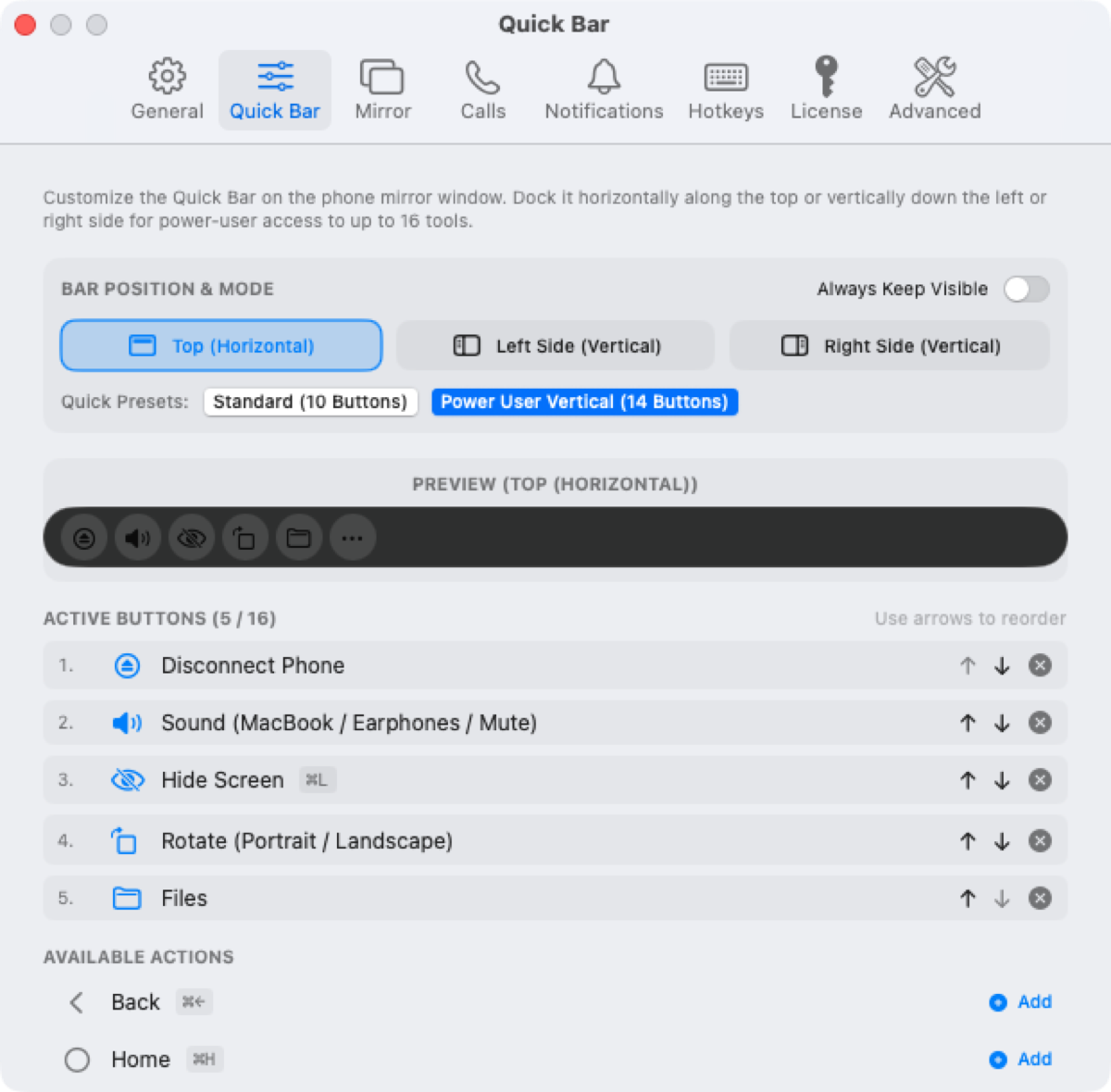
Keep it along the top, or dock it vertically down the left or right side. Pick your own buttons, reorder them with arrows, and start from the Standard (10) or Power User Vertical (14) preset. Gaming Mode, Privacy Lock, Find My Phone and Language Switch are all one click away.

Quick Bar settings: top, left or right dock position with up to 16 customizable buttons

Walk-Away Privacy Lock

Tandem watches the phone's Bluetooth signal and your Mac's idle time. Step away from your desk and the mirror is covered with a frosted shield; come back and it unlocks automatically, with optional Touch ID for manual unlocks.

Privacy shield covering the phone mirror after walking away from the Mac

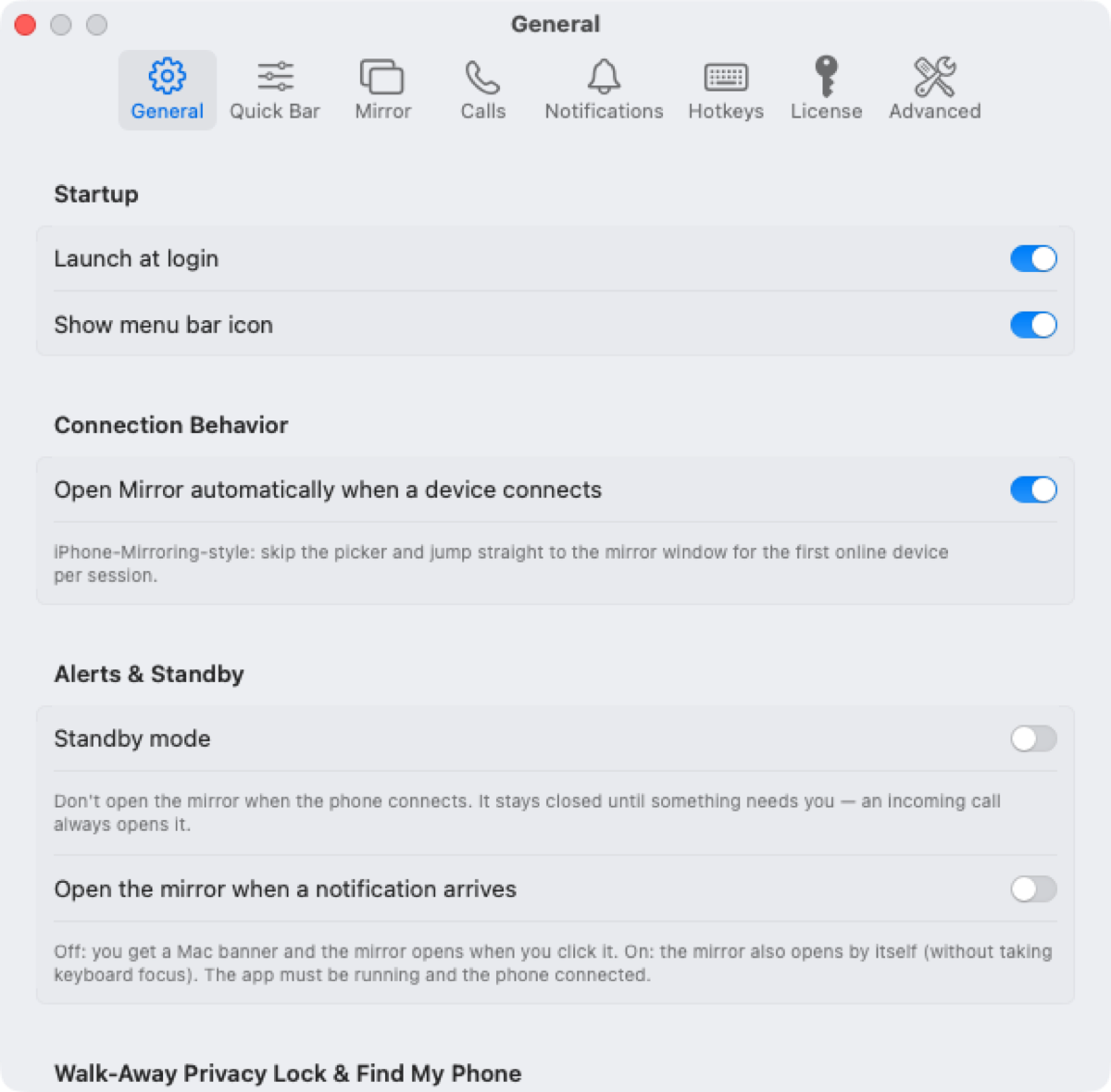
Available in 7 languages

English, 한국어, 日本語, 简体中文, Deutsch, Français and Español. Switch from Settings → General with one click; every menu, setting and Quick Bar tool follows. Keyboard-language switching (한/영) can be mapped to any key, including Caps Lock or Right ⌘.

  • ✅ Click a Mac notification to open the message — or the app on your phone that sent it
  • ✅ Every shortcut is remappable in Settings → Hotkeys
  • ✅ Gaming Mode (⌘G) keymapper with Xbox/PS5 controller support
General settings showing startup, connection, standby and language options
Engineered for World-Class Continuity

Everything Android on Mac should be.

Native Swift 6 & Metal architecture. Zero Electron bloat. 100% on-device local privacy.

⚡

3-Second Cable Touch

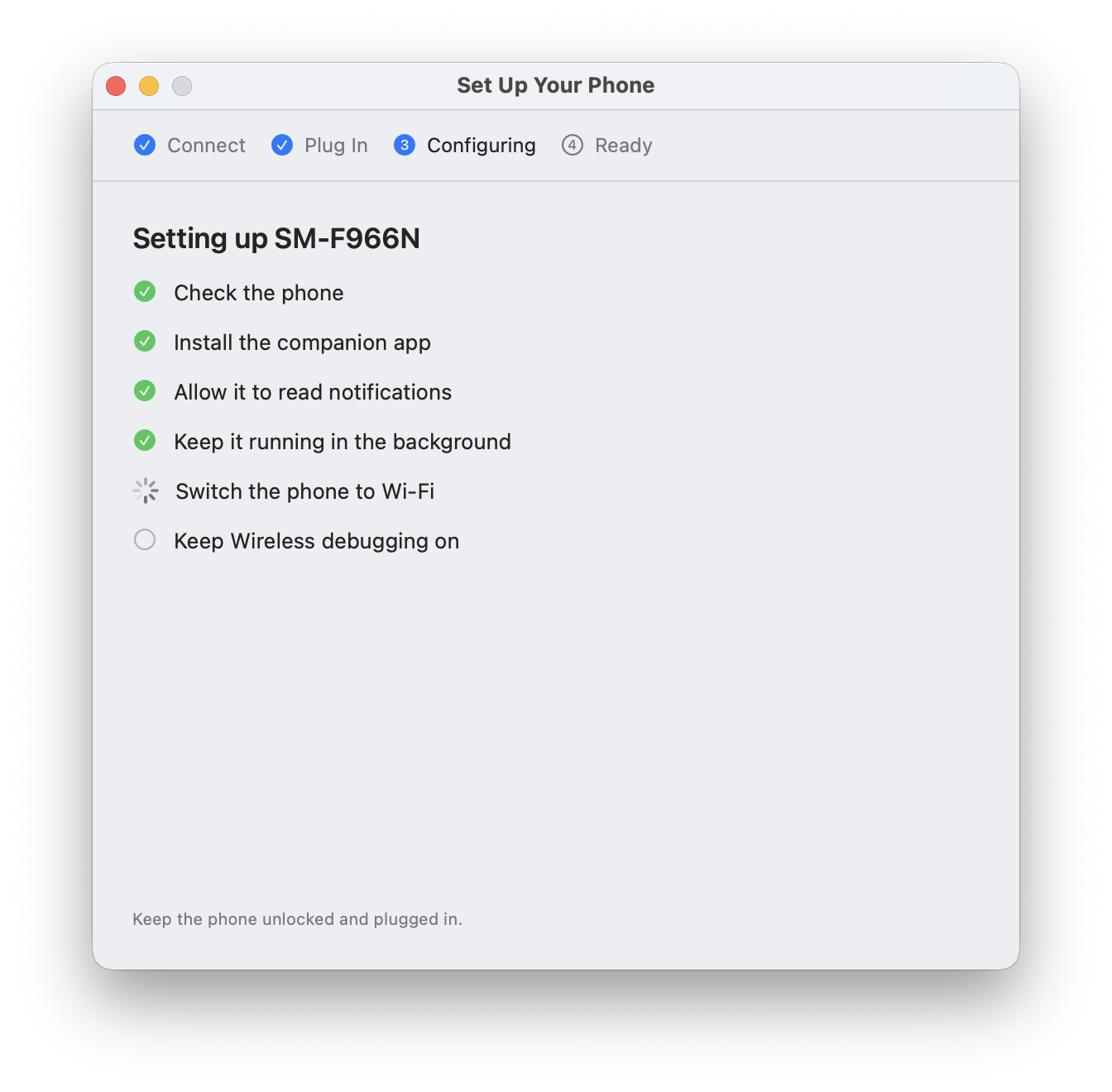
Plug your USB-C cable in for 3 seconds once. Hear the chime, unplug, and enjoy permanent wireless mirroring that reconnects automatically whenever your Mac wakes up.

3-Second Setup Wizard
📷

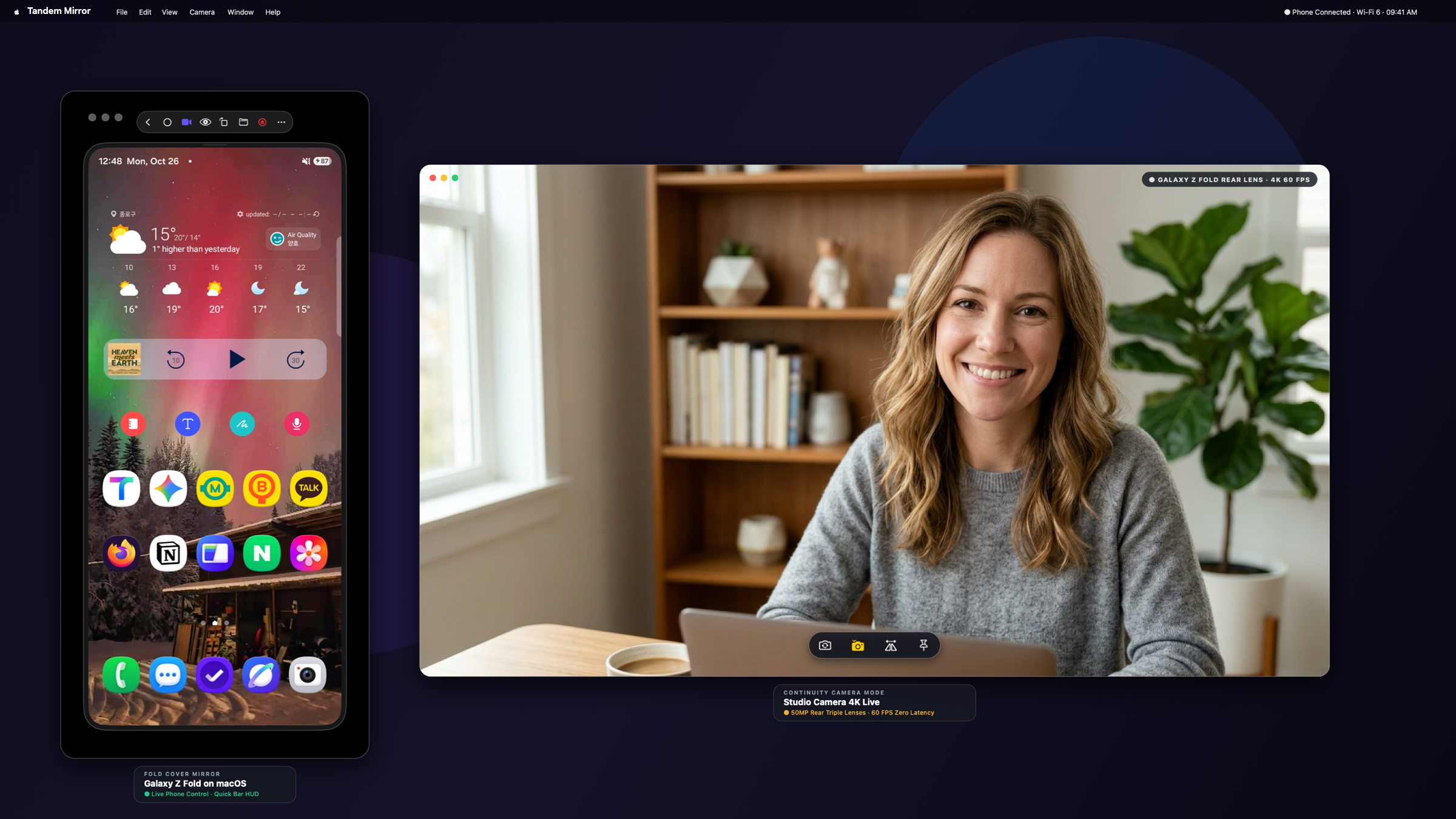
Continuity Studio Camera

Press ⌘⇧C to use your phone's 50MP rear camera as a 4K Mac webcam. Click anywhere to drag across monitors, pin on top, or snap photos directly into Downloads.

Studio Camera Continuity Mode
🖥️

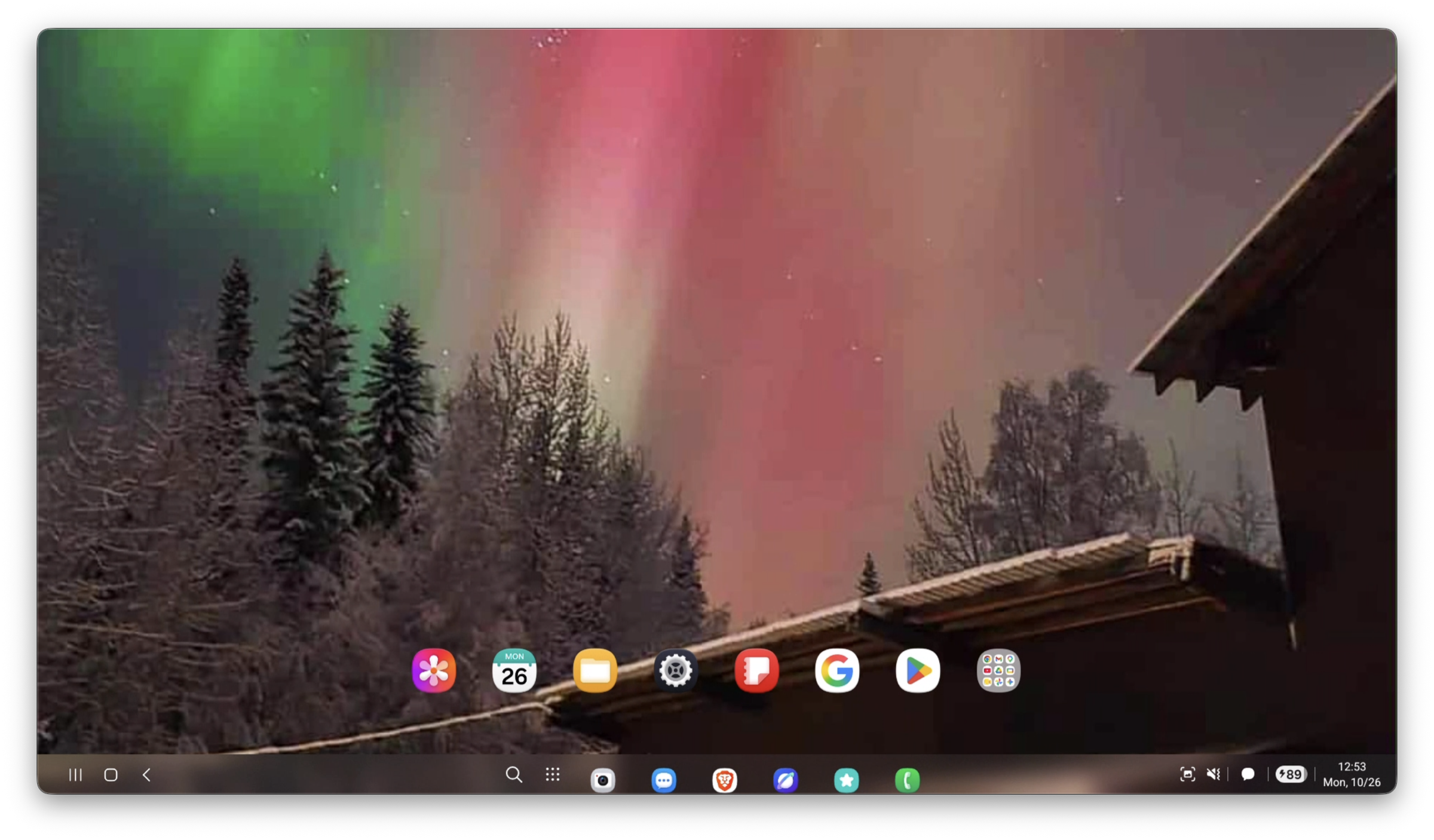
Universal Desktop Mode (120Hz)

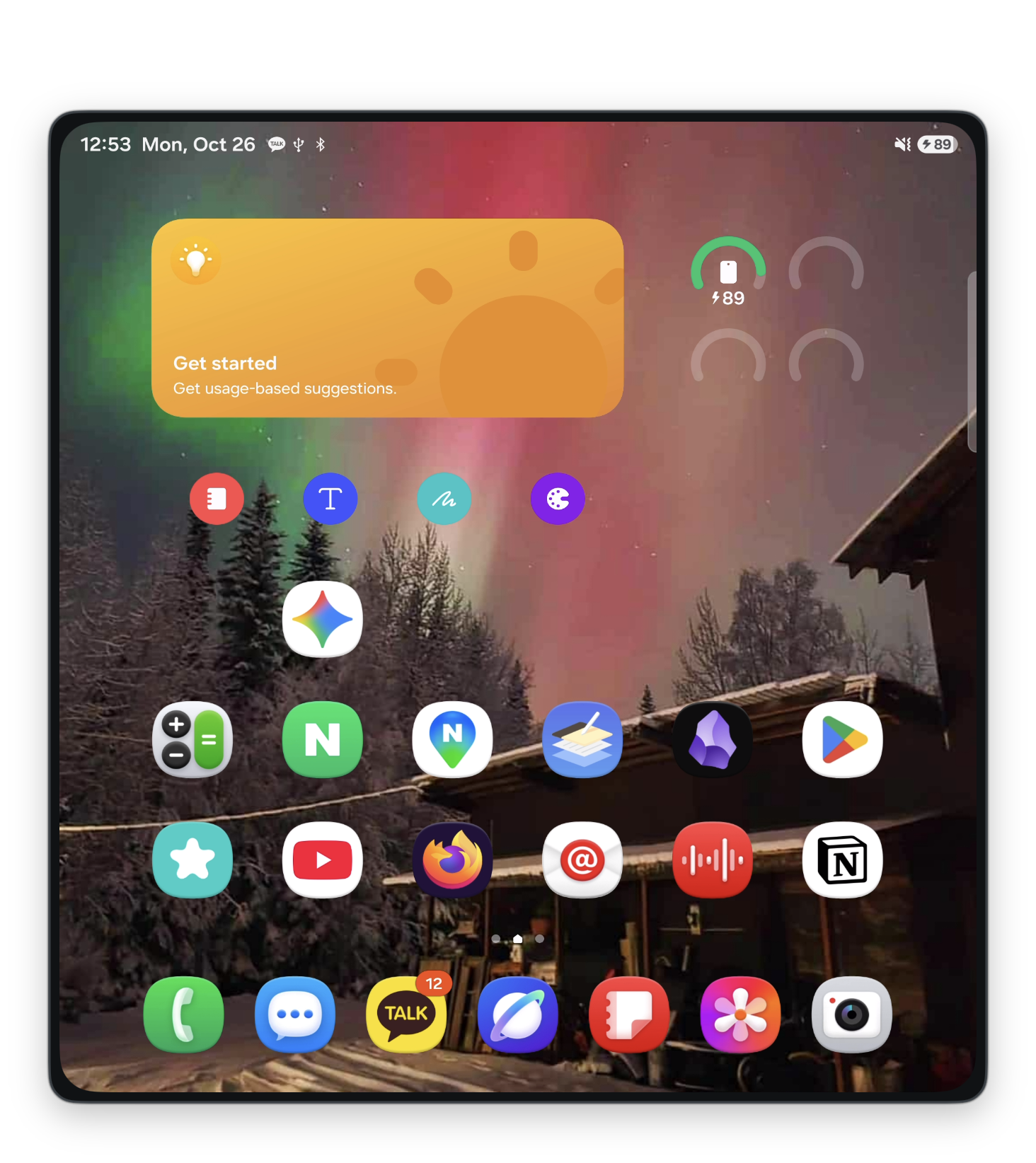
Enables your Samsung Galaxy native DeX desktop on macOS at 120Hz, and gives Google Pixel, OnePlus, and Xiaomi phones a full desktop workspace with native keyboard and mouse mapping.

Samsung DeX 120Hz on Mac
🔔

Call HUD & Notifications

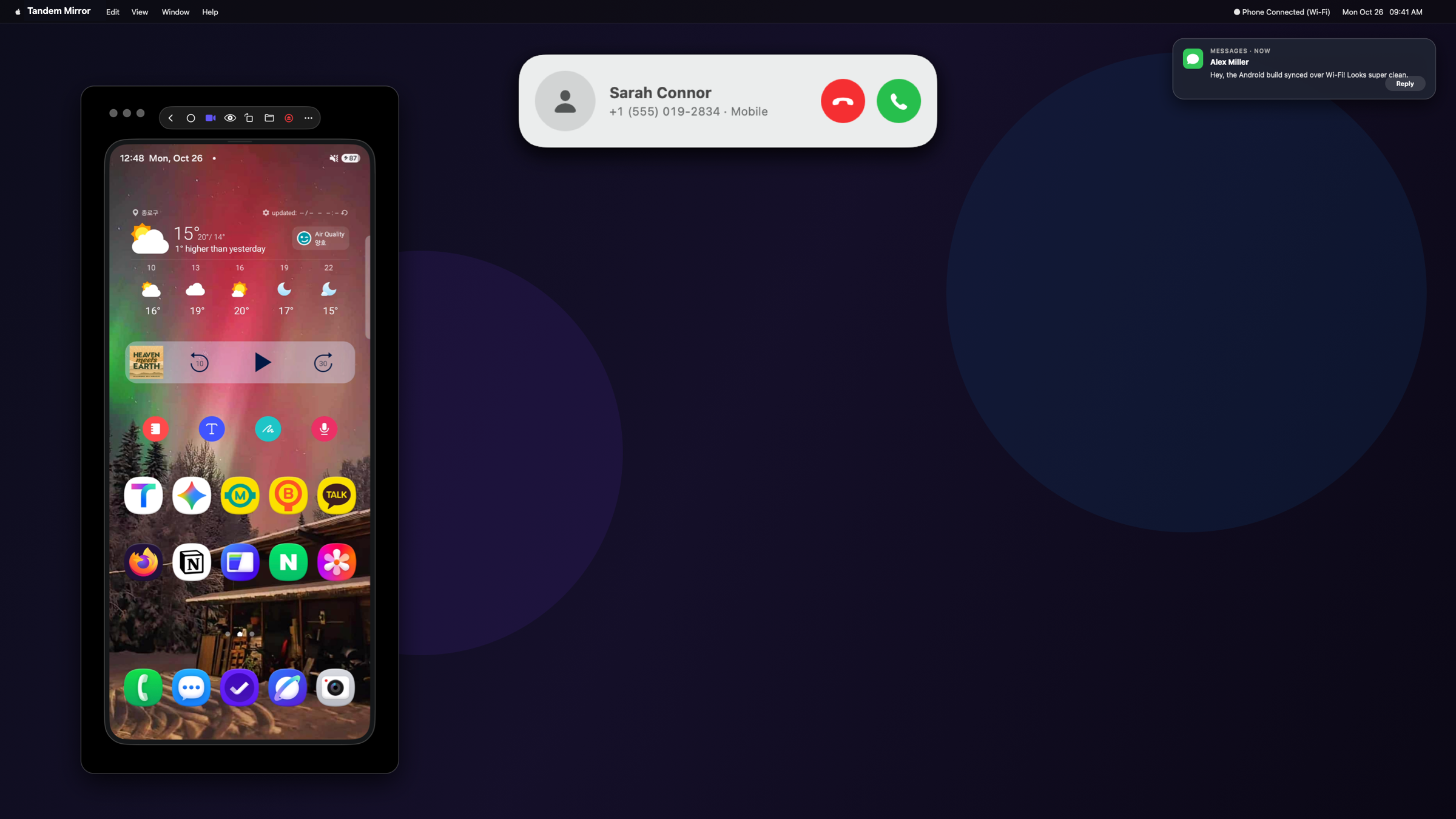
Incoming text messages appear as native macOS Notification Center banners with inline reply. Phone calls surface in an elegant floating floating Call Island banner with Accept & Decline buttons.

Floating Call Island HUD and Notification Center on macOS Desktop
📐

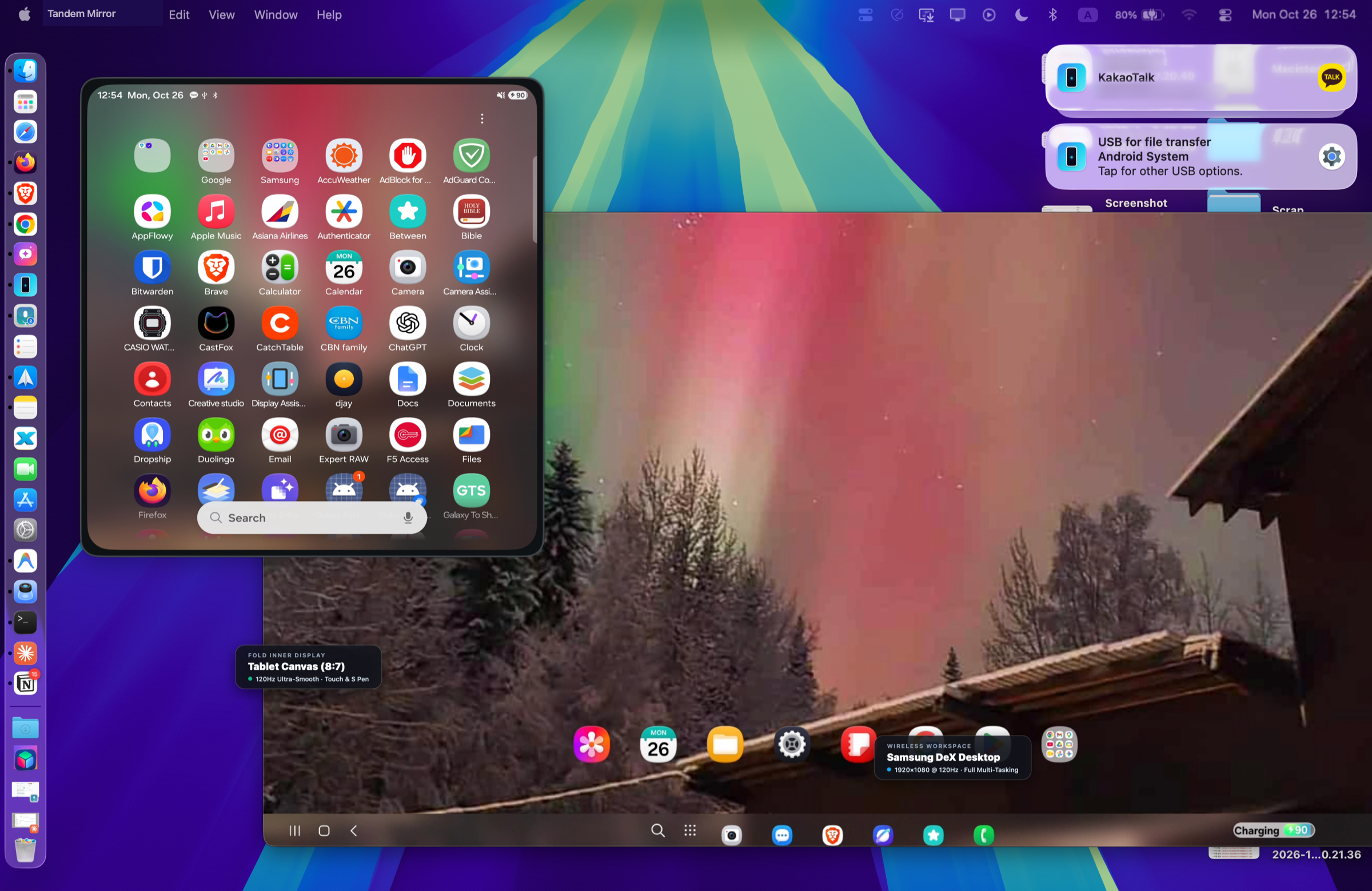
Fold Aspect Ratio Morpher

Unfold your Galaxy Fold or Pixel Fold and watch the Mac window dynamically glide from the tall 23:9 cover screen to the square 8:7 tablet canvas in real time with zero stutter.

Fold Tablet Display Canvas
📁

Instant Drag & Drop File Sharing

Drag any photo, video, PDF, document, or folder straight from macOS Finder and drop it onto the phone window. Files are immediately pushed to your phone's /sdcard/Download directory with automatic media library indexing. Drop an .apk file to install apps instantly.

⚡️
Drop Target Glow Hover files over the window to push wirelessly in seconds.
Fast ADB Push
🔒

100% Local & 14-Day Free Trial

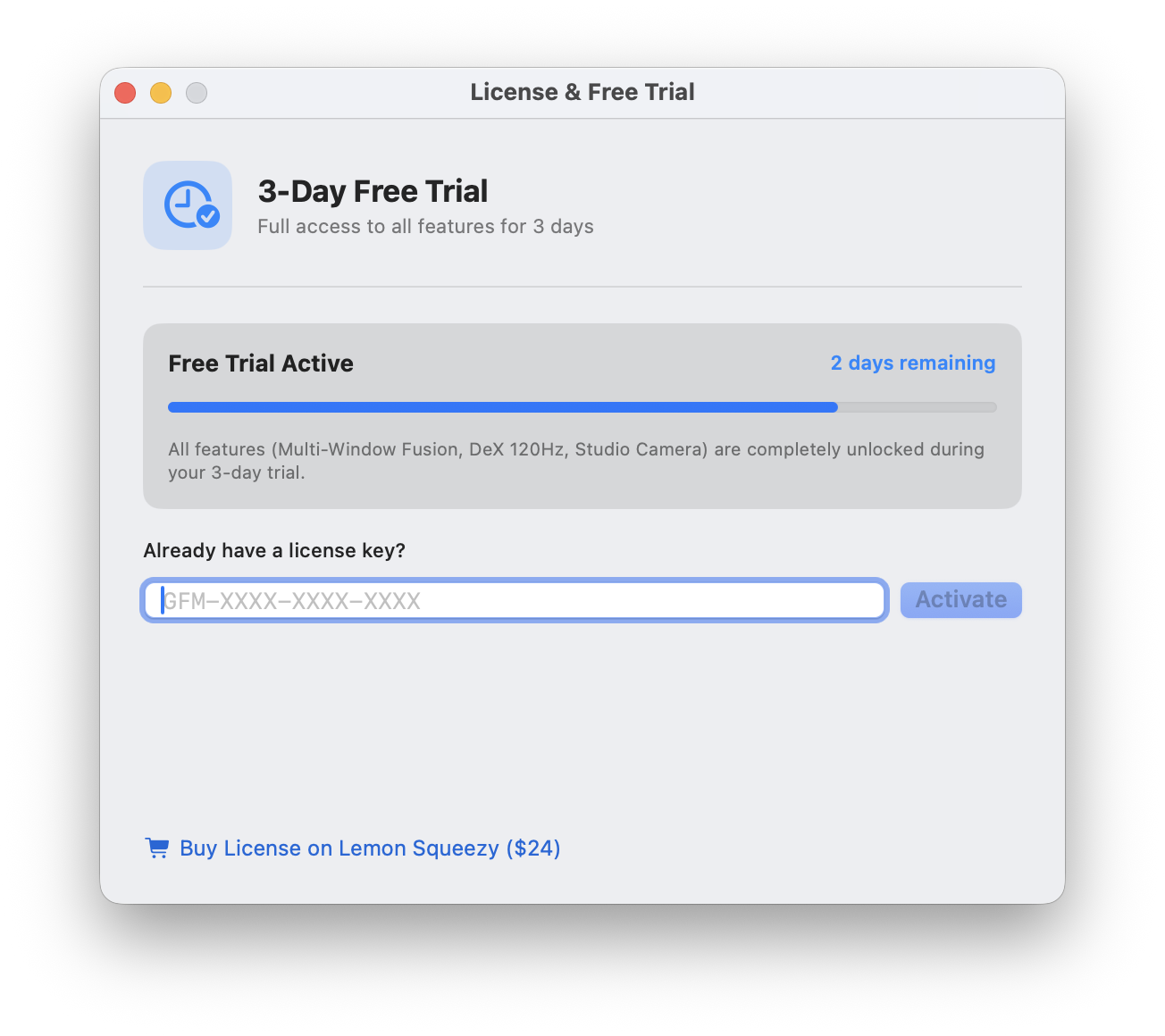
Zero accounts, zero cloud servers, zero tracking. All video and input streams strictly over your local Wi-Fi or USB connection. Test all features 100% unlocked for 14 full days.

In-App 14-Day Free Trial Card
Honest Benchmark

Why Tandem?

See how Tandem compares to Apple’s walled garden and raw open-source command line tools.

Feature Capability Tandem for Mac Apple iPhone Mirroring scrcpy (Open Source CLI) Samsung DeX for Mac
All Android Phones (Pixel, OnePlus, Xiaomi, Samsung) ✅ Universal Android Support ❌ iPhones Only ✅ Android only ❌ Discontinued in 2021
Live Cellular Phone Calls on Mac (Digital Downlink Audio) ✅ 48kHz Telephony Downlink to Mac Speakers + Call Pill ❌ Audio blocked during cellular calls ❌ No Mac call UI or auto-bridge ❌ Discontinued
DeX-like Desktop Mode for Non-Samsung Phones ✅ Yes (AOSP Fusion Desktop) ❌ No desktop interface ⚠️ Complex terminal args ❌ Samsung flagships only
120 FPS High-Refresh Video Streaming ✅ 120 FPS Metal Decode ⚠️ 60Hz capped ⚠️ Manual flags ❌ 30-60Hz laggy
Heavy 3D Android Gaming (Zero Emulator Overhead) ✅ Phone GPU + Metal (0% Mac CPU Heat) ❌ Game inputs unmapped ⚠️ Manual scrcpy keybindings ❌ Severe input & audio latency
Drag Windows Across 2 to 3 Displays ✅ Multi-Monitor Spread ❌ Locked to single screen ❌ Single window only ❌ Single window only
Studio Camera (Continuity Webcam Mode) ✅ 50MP 4K Lens (⌘⇧C) ✅ iPhone only ⚠️ Camera CLI flags ❌ None
Fold Dynamic Aspect Ratio (Cover ↔ Tablet) ✅ Real-Time Morph (⌘D) N/A (No foldables) ⚠️ Manual restart flags ❌ Fixed 16:9 only
Quick Bar HUD & Native Mac Keyboard Language ✅ 10-Button Native HUD ✅ Clean ❌ Raw SDL window Deprecated
Two-Way Universal Clipboard (Text & Images) ✅ Instant Mac ↔ Phone (Text + Images) ⚠️ Text only, iCloud latency ⚠️ Text only (No image sync) ❌ Text only, deprecated
Two-Way File Sharing & APK Sideloading ✅ Finder Drag & Drop + Native Files (⌘⇧F) + APK Drop ⚠️ Limited file drop (No APK / full storage) ⚠️ Push only (No visual file browser) ❌ None
Hardware Compatibility

Works With Every Modern Android Phone

Whether you carry a Galaxy Fold, Google Pixel, OnePlus flagship, or Xiaomi device, Tandem delivers native macOS integration across all major Android manufacturers running Android 11, 12, 13, 14, and 15+.

🪐

Samsung Galaxy

DeX + Phone + Fold
  • ✓ Galaxy Z Fold 6, 5, 4, 3, 2, Fold 1
  • ✓ Galaxy Z Flip 6, 5, 4, 3
  • ✓ Galaxy S Series S24 Ultra / S24+ / S24, S23, S22, S21, S20
  • ✓ Galaxy Note 20 Ultra, Note 10+
  • ✓ Galaxy A & Tab A55, A54, A53, Tab S9 / S8 / S7
⚡ 120Hz DeX & Dynamic Aspect Ratio
💎

Google Pixel

Tensor & AOSP Fusion
  • ✓ Pixel 9 Series 9 Pro Fold, 9 Pro XL, 9 Pro, 9
  • ✓ Pixel Fold (Dynamic Morph)
  • ✓ Pixel 8 Series 8 Pro, 8, 8a
  • ✓ Pixel 7 & 6 7 Pro, 7, 7a, 6 Pro, 6, 6a
  • ✓ Pixel Tablet (Android 14 / 15)
⚡ Fusion Multi-Window Desktop
⚡

OnePlus & Oppo

OxygenOS & ColorOS
  • ✓ OnePlus Open (Foldable Canvas)
  • ✓ OnePlus 12, 12R, 11, 10 Pro, 9 Pro
  • ✓ OnePlus Nord 4, 3, CE Series
  • ✓ Oppo Find N3, N2 Flip
  • ✓ Oppo Find X7 Ultra, X6 Pro, Reno series
⚡ 120 FPS Metal Gaming & Calls
📱

Xiaomi & Others

HyperOS · Sony · Moto
  • ✓ Xiaomi MIX Fold 4, 3, 2, MIX Flip
  • ✓ Xiaomi 14 Ultra, 14, 13 Pro, POCO F6 / F5
  • ✓ Motorola Razr 50 Ultra, 40 Ultra, Edge 50
  • ✓ Sony Xperia 1 VI, 1 V, 5 V, 10 VI
  • ✓ Nothing Phone (2), (2a), Phone (1)
⚡ Universal AOSP Fusion Mode
Android Compatibility Android 12, 13, 14, 15+ (Native out-of-the-box) · Android 11 (Supported)
macOS Compatibility macOS 14 Sonoma & macOS 15 Sequoia (Apple Silicon M1/M2/M3/M4 & Intel)
Simple, Transparent Pricing

Try Free for 14 Days.
Unlock for $19. $29

Limited-time launch promotion for the first 500 licenses. Test every single feature on your Mac with zero commitment — no credit card needed to download. When you love it, unlock lifetime access right inside the app or online.

Hardware Alternative
$100 – $150

External HDMI capture cards and wireless display dongles that run hot, require messy cables, and introduce lag.

SaaS Subscriptions
$36 – $50 / year

Tools like Duet Display and AirServer charge recurring yearly subscriptions that cost more every single year.

Tandem Lifetime License
Save 35%
$29 $19 once

Pay once, own forever (includes a free bonus seat for a 2nd Mac). Free updates, zero subscriptions, zero recurring fees.

First 500 Licenses · Save 35%
Pro Developer Lifetime License
$29 $19 USD / one-time payment

Pay $19 once, own forever — less than 6 months of competitor subscriptions. Includes a free bonus activation for your 2nd Mac.

14-Day Free Trial UI in Tandem

Secure payment via Apple Pay, Credit Card, or PayPal. 14-day money-back guarantee.

Clear Answers

Frequently Asked Questions

Does Tandem work with non-Samsung phones? Can I use floating pop-up apps on a Pixel or OnePlus?

+

How does Lemon Squeezy payment work for international users?

+

Do I need to keep the USB cable plugged in?

+

How does the 14-day free trial work?

+

How do I receive app updates?

+

Can I transfer files between Mac and Android by dragging and dropping?

+

How does Universal Copy-Paste and transferring files back to Mac work?

+
EXCLUSIVE TO TANDEM

Can I make and receive cellular phone calls on my Mac with an Android phone?

+