Samsung DeX on Mac.
Resurrected at 120Hz.
Samsung officially discontinued the DeX for Mac app in January 2022, leaving Apple Silicon (M1, M2, M3, M4) and macOS Sequoia users stranded at 30Hz workarounds. Tandem Mirror brings native 1920×1080 @ 120Hz Samsung DeX back to macOS—wirelessly or over USB-C—and unlocks a DeX-like multi-window desktop for Google Pixel, OnePlus, and Xiaomi.
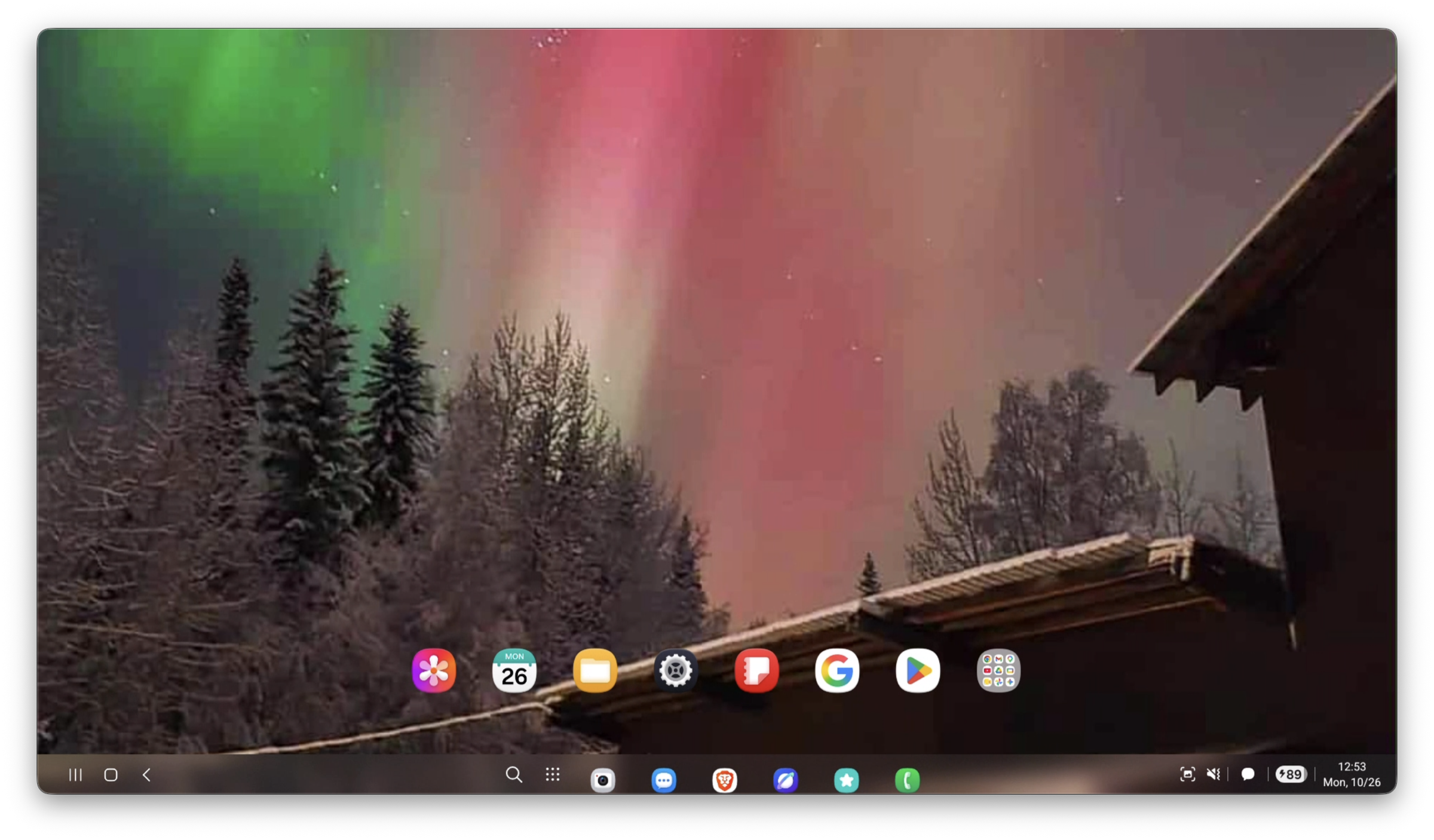
Samsung DeX running natively inside a resizable macOS Sequoia window at 120 FPS via Metal.
Why Samsung DeX Stopped Working on Modern Macs
The legacy Samsung DeX for Mac installer relied on deprecated Intel kernel extensions (kexts) and capped video streams at 30–60 FPS with high compression artifacts. Rather than rewriting it for Apple Silicon and Metal, Samsung ended support. Hardware HDMI capture cards cost $50–$150, add input lag, and require messy dongles.
How Tandem Mirror Runs 120Hz DeX Natively on Apple Silicon
Built from the ground up in Swift 6 and Metal for macOS Sonoma and macOS Sequoia. 100% local peer-to-peer connection with zero cloud accounts and a one-time $19 lifetime license (slashed from $24 — includes 2 Macs).
Key Capabilities
✓ Virtual Display Engine (1920×1080 @ 120Hz)
Press ⌘⇧X to spawn a dedicated high-refresh virtual desktop display directly on your Galaxy S23/S24/S25 or Z Fold 4/5/6/7 without turning on the physical phone screen.
✓ Universal Desktop for Pixel, OnePlus & Xiaomi
Using our AOSP Fusion Engine, non-Samsung phones get a full multi-window desktop launcher with floating, resizable apps.
✓ Sub-15ms Metal Hardware Decoding
Decoded directly on Apple Silicon VideoToolbox + Metal shaders using under 3% Mac CPU with zero fan spin.
✓ Mac Keyboard, Trackpad & Universal Clipboard
Natural macOS two-finger scrolling, physical UHID keyboard language switching (Caps Lock), and instant ⌘C / ⌘V text & screenshot clipboard sync.
How to Get Started in 30 Seconds
- 1 Download and open Tandem Mirror on your Mac (macOS 14 Sonoma or macOS 15 Sequoia).
- 2 Plug your Samsung Galaxy or Android phone in via USB-C once for 3 seconds to auto-pair wireless mode.
- 3 Press ⌘⇧X (or click the Desktop icon in the Quick Bar HUD) to launch full 120Hz Samsung DeX in an independent Mac window.
Frequently Asked Questions
Does Samsung DeX on Tandem Mirror work wirelessly?
Yes. After the initial 3-second USB-C setup, you can unplug the cable and launch 120Hz Samsung DeX completely wirelessly over local Wi-Fi 6.
Which Samsung phones are supported?
All DeX-capable Samsung Galaxy phones and foldables running Android 11 through Android 15/16 (One UI 5, 6, and 7), including Galaxy S21/S22/S23/S24/S25 series and Galaxy Z Fold 3/4/5/6/7.
Does it work on Google Pixel or OnePlus?
Yes! Tandem Mirror includes a Universal Desktop Mode powered by Android virtual displays that gives Google Pixel, OnePlus, and Xiaomi phones a full desktop workspace on Mac.
Try Tandem Mirror Free for 14 Days
Every feature is 100% unlocked with zero credit card required. Own it forever on 2 Macs for a one-time payment of $24 $19 (Save 21%).