The Power of scrcpy.
In a Native macOS App.
We love open-source scrcpy—its protocol is the gold standard for low-latency Android streaming. But managing Homebrew dependencies, typing --new-display terminal flags, re-running adb tcpip 5555 after every reboot, and staring at a bare SDL window gets old fast. Tandem Mirror replaces the SDL client with a pure Swift 6 & Metal macOS engine.
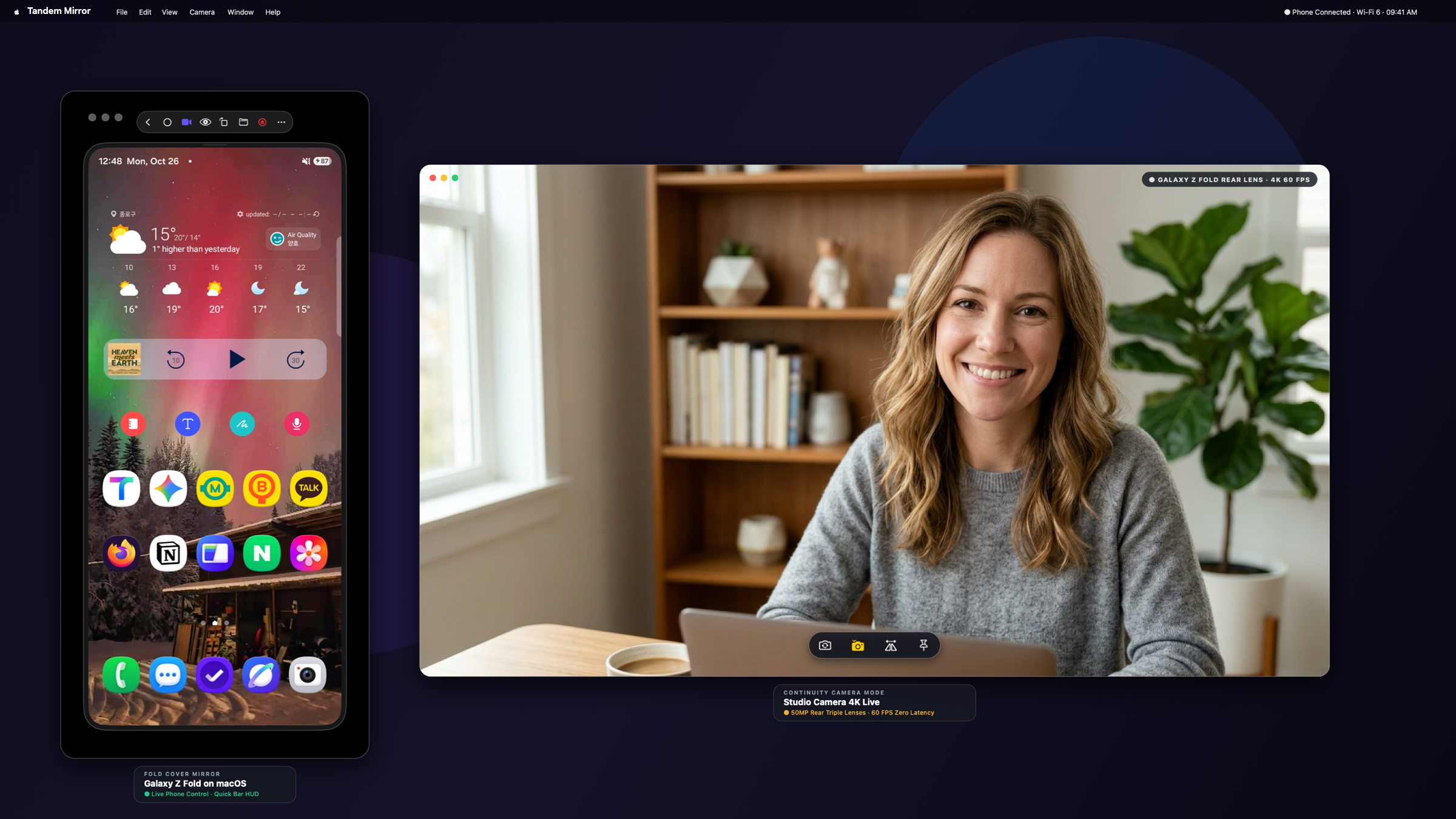
Native macOS window management, Quick Bar HUD, and 4K Studio Camera powered by Metal.
What Raw CLI scrcpy Doesn’t Give You on macOS
Running scrcpy from Terminal gives you a raw SDL window with no macOS Notification Center bridge, no automatic BLE/mDNS wake reconnection, no rich image clipboard sync from Mac to Android, no visual game keymapper, no phone-to-Mac file browser, and no foldable aspect-ratio morphing.
Everything Built Into Tandem Mirror on Top of the scrcpy Protocol
Built from the ground up in Swift 6 and Metal for macOS Sonoma and macOS Sequoia. 100% local peer-to-peer connection with zero cloud accounts and a one-time $19 lifetime license (slashed from $24 — includes 2 Macs).
Key Capabilities
✓ Native Metal Video Renderer (No SDL Wrapper)
Instead of wrapping an external SDL window, Tandem decodes H.264/H.265 directly via Apple VideoToolbox into Metal textures with client-side UV rotation (⌘⌥R).
✓ Zero-Terminal 3-Second Wireless Provisioning
No Homebrew required. Bundled ADB + mDNS + Bluetooth LE proximity watcher automatically reconnects your phone whenever your Mac wakes from sleep.
✓ 10-Button Quick Bar HUD & Multi-Window Fusion (⌘⇧O)
One-click buttons for DeX Desktop (⌘⇧X), Studio Camera (⌘⇧C), Pop-Out Apps (⌘⇧O), Files Browser (⌘⇧F), Rotate (⌘⌥R), and Screen Off (⌘L).
✓ Native Notifications, OTP Auto-Copy & Game Keymapper (⌘G)
Includes a companion Android notification bridge, Mac screenshot clipboard sync, and a visual WASD + Xbox/PS5 controller keymapper.
How to Get Started in 30 Seconds
- 1 Download TandemMirror.dmg and drag Tandem Mirror to Applications (no Homebrew or Xcode CLI tools needed).
- 2 Plug your phone in for 3 seconds—Tandem configures TCP/IP and wireless debugging automatically.
- 3 Control your phone at 120 FPS with native macOS shortcuts, multi-window pop-ups, and menu bar controls.
Frequently Asked Questions
Do I need to install Homebrew or scrcpy via Terminal first?
No. Tandem Mirror is completely self-contained and bundles its own signed binaries and Metal rendering engine.
How does Tandem handle foldable phones like Galaxy Z Fold or Pixel Fold?
When you unfold your phone, raw scrcpy either letterboxes or requires a manual restart. Tandem automatically detects the fold state change and smoothly morphs the macOS window from 23:9 cover to 8:7 tablet.
What happens if Android Studio or an old CLI adb server conflicts?
Tandem includes a 1-click Restart ADB Server & Clean Ports button right in the macOS menu bar and Settings.
Try Tandem Mirror Free for 14 Days
Every feature is 100% unlocked with zero credit card required. Own it forever on 2 Macs for a one-time payment of $24 $19 (Save 21%).